How it works
Three steps, about a minute. No key files, no settings to learn. Every screen below is real, from our own sites.
Enter your website
Type your address and press Check my site free. No sign-up. In about 5 seconds you see what Google and AI answer engines can read.
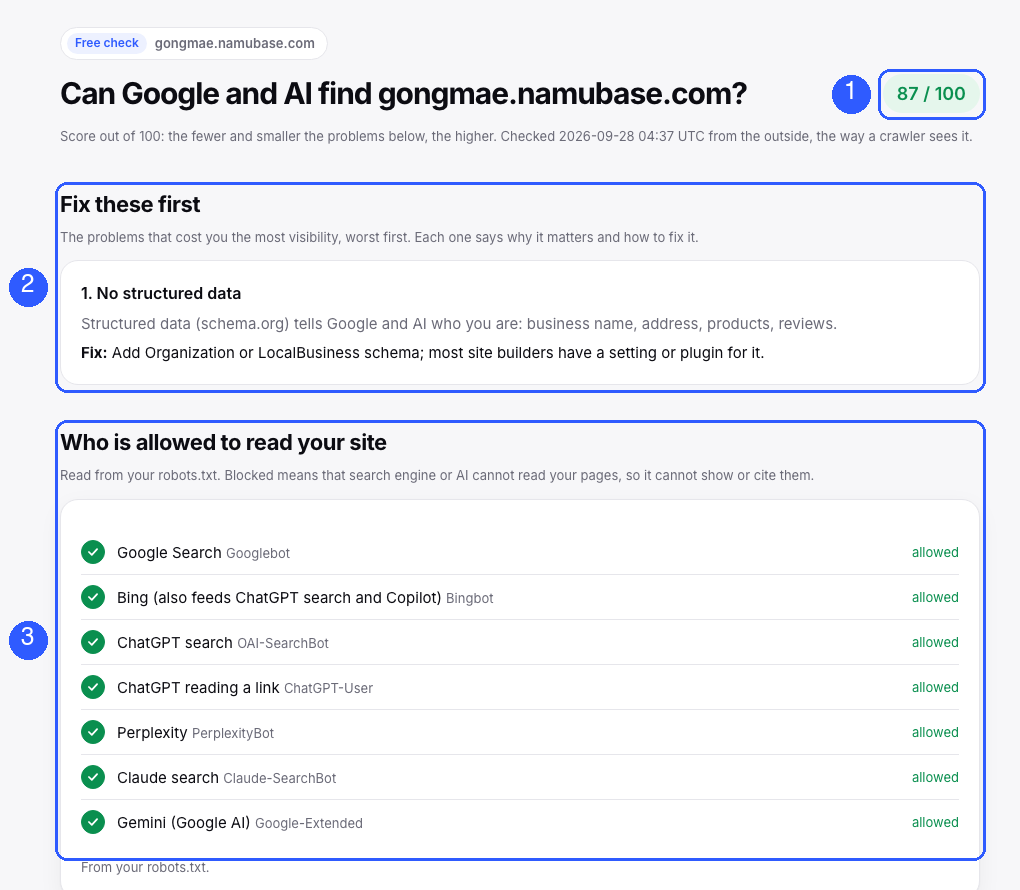
- Your score. Out of 100. The fewer and smaller the problems, the higher.
- Fix these first. The problems that cost you the most, worst first. Each says why it matters and exactly how to fix it.
- Who can read your site. Google, Bing, ChatGPT, Perplexity, Claude and Gemini, each marked allowed or blocked. Blocked means it cannot show or cite you.
Continue with Google
Press Continue with Google and pick the Google account you use for Search Console. Google asks you to let SearchLink read your Search Console data. Keep that box ticked and press Continue. That is the whole setup.
- Read-only. SearchLink can never change anything in Search Console.
- Your sites load by themselves. Nothing to copy or install.
- 14-day free trial with everything, no card. Then free for up to 3 sites.
Get your answers
Your dashboard opens right away with every site on one screen.
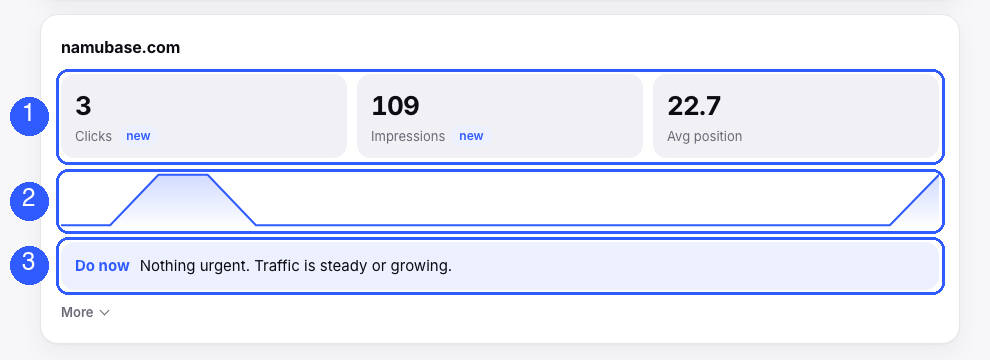
- Your numbers. Clicks, impressions and average position for the last 28 days, with the change against the 28 before.
- The trend. Clicks day by day, so a drop is easy to spot.
- Do now. The one thing to do next for this site, in plain words.
Every Monday the same, for the past week, lands in your inbox. You do not need to log in.
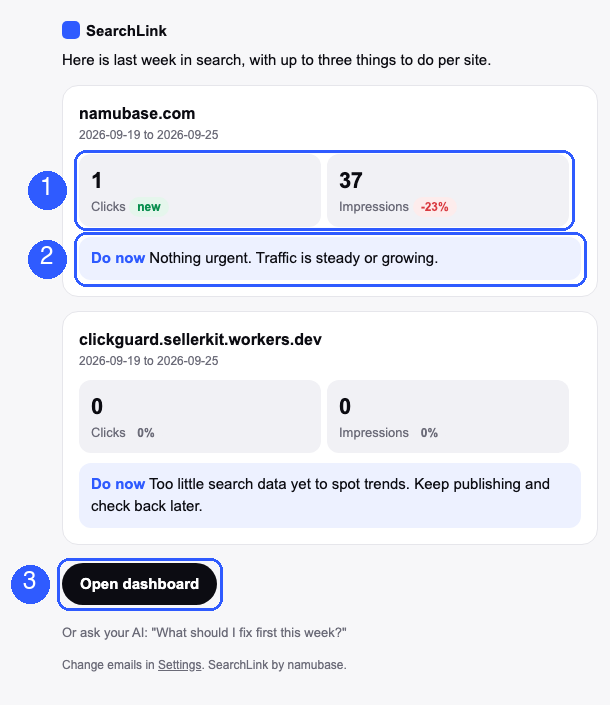
- Last week, per site. Clicks and impressions with the change against the week before.
- Do now. Up to three things to fix, most important first.
- Open dashboard. One tap for the details. If clicks drop sharply on any day, you get an alert without waiting for Monday (paid plans).
Optional: ask your AI, and let it fix things
Not needed to get value. If you use Claude, ChatGPT or Cursor, you can paste one link and ask questions in your own words, check whether AI answers cite you for your real searches, and approve better page titles that SearchLink puts on your WordPress site for you. How to connect
Start with step 1
Free, no sign-up, about 5 seconds.